
Stereo Recording
Learn the difference between mono and stereo and how to record in stereo.
Before we can talk about stereo recording, let’s define some terms:
Mono: Audio without a left or a right dimension. It would make no difference if it was coming out of one speaker or two.
Stereo: Audio that has different information on the left and right sides, creating perceived space.
When producers and recording engineers are capturing sound, they can choose if they want to set up one mic for a mono recording or multiple mics to record in stereo. If you wanted to record a single singer, just one microphone would do the trick. But, recording instruments like an acoustic guitar or piano will sound much better with multiple microphones.
Recording multiple microphones at the same time requires some extra gear, namely an audio interface. The most widely used audio interface is a Focusrite Scarlett 2i2:
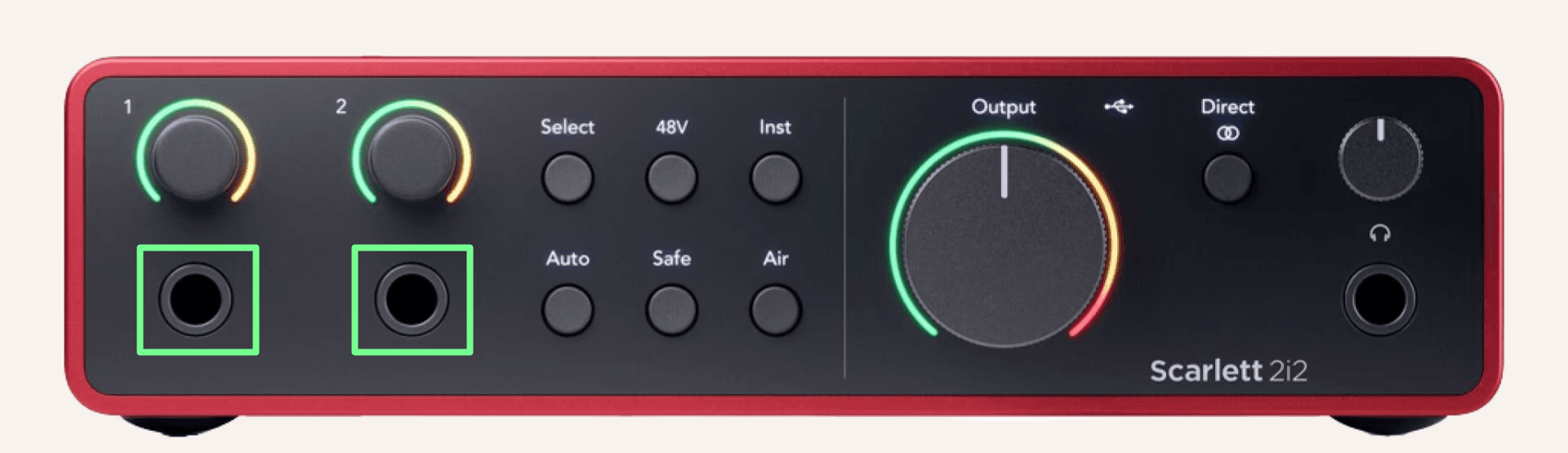
Notice the two inputs, highlighted on the left with green boxes around them. A 2i2 just has two inputs. More pro-level interfaces allow you to record many instruments at the same time with multiple inputs.
But don’t worry, there is an easily accessible way of getting this fancy stereo sound: two phones! Take two phones and start recording a voice memo on both. Before you start playing, but after you start recording, clap so you can sync up the recordings later. You also want to be sure to put your phones at exactly the same distance from your sound source so don’t run into issues with the sound waves phasing. Do you remember constructive and destructive interference from physics class? Here it is in action.
In order to achieve the stereo sound, you must pan one recording all the way to the left and the other all the way to the right. Good luck!